The problem with informal leave requests
In many businesses, holiday is still requested in passing, with a WhatsApp message or by writing your name on a sheet on the noticeboard. The result is familiar: forgotten requests, overlaps within the same team, balances counted by hand and employees constantly asking “how many days do I have left?”.
Leave management software solves all of this by moving the whole process online, in an orderly and traceable way.
How leave management works in DipendentiWeb
- Request. The employee chooses the type of absence (holiday, time off, time off in lieu) and the dates, and sends the request from the portal.
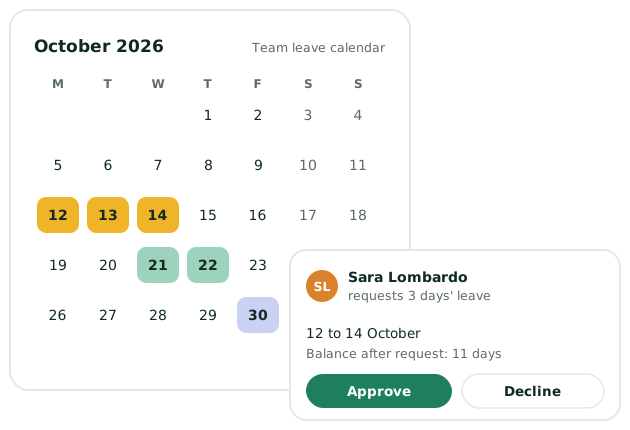
- Notification. The manager is alerted straight away and sees the team calendar and the employee's balance.
- Approval. One click to approve or decline. The employee gets the answer and the calendar updates itself.
- History. Every step is recorded and can be checked at any time.
The team absence calendar
The shared calendar shows at a glance who will be away and when. It's the ideal tool to plan summer holidays, organise shifts at busy times and make sure every team is always covered. Before approving a request you already know whether other colleagues are away in the same period.
Up-to-date balances for everyone
DipendentiWeb keeps a clear summary of available, used and pending leave for each employee. Staff check it themselves from their phone, and HR no longer has to count by hand or answer the same questions.
The result: fewer messages, less paper, no forgotten requests and calmer work planning for everyone.
Benefits for the business and for employees
- 100% digital process: no paper forms or long email threads.
- Fast approval: one click, even from a smartphone.
- Transparency: every request and reply is tracked.
- Better planning: no overlaps and teams always covered.
- Linked to attendance: approved absences appear in time and attendance.